반응형
파이썬의 Flask 를 이용해서 RestAPI 서버를 구축하하고 Swagger로 문서를 생성하고 JWT 인증 테스트 하는 방법까지 간단하게 전체적으로 알아 보겠습니다.
Flask RestAPI를 구축하려고 알아보니 Flask-RESTx 와 Flask-RESTful 2개가 요즘 가장 많이 쓰이는데 문서 만들기는 Flask-RESTx가 편하다고 해서 Flask-RESTx와 Swagger 를 이용해서 문서를 만들어 보았습니다.
인터넷 검색후 적용 가능한고 참고할만한것 3개의 파일을 별도의 파일로 분리후 접속하는 방법으로 테스트 하였습니다.

Swagger란? REST API를 문서화해주는 도구
참고 :
https://sepang2.tistory.com/113
https://justkode.kr/python/flask-restapi-3/
https://chamch-dev.tistory.com/21
1. 필요한 라이브러리 설치
pip install flask
pip install flask-restx

# JWT 에 필요한 라이브러리
pip install bcrypt
pip install PyJWT
Api() 함수로 flask-restx를 생성후 api.add_namespace(test_api, '/test') 함수로 다른곳에 있는 파일과 url 연결해주기(import 해줘야 한다. : from apis.test import test_api )
app.py
# app.py

from flask import Flask
from flask_restx import Api, Resource, reqparse

# https://chamch-dev.tistory.com/21

from apis.test import test_api
from apis.todo import Todo
from apis.auth import Auth

app = Flask(__name__)

# api = Api(app, version='1.0', title='(Test) API 문서', description='(Test) Swagger 문서', doc="/api-docs")
api = Api(
    app,
    version='1.0',
    title='(Test) API 문서',
    prefix='/api',
    contact='email address',
    description="(Test) Swagger 문서",
    doc="/api-docs",    # http://127.0.0.1:5000/api-docs
)


api.add_namespace(test_api, '/test')
api.add_namespace(Todo, '/todos')
api.add_namespace(Auth, '/auth') # Auth API를 API 서버에 추가합니다.

if __name__ == '__main__':
    app.run()
    #app.run(debug=True, host='0.0.0.0', port=80)
apis/auth.py
# apis/auth.py

import jwt
import bcrypt
from flask import request
from flask_restx import Resource, Api, Namespace, fields

# https://justkode.kr/python/flask-restapi-3/

users = {}

Auth = Namespace(
    name="Auth",
    description="사용자 인증을 위한 API",
)

user_fields = Auth.model('User', {  # Model 객체 생성
    'name': fields.String(description='a User Name', required=True, example="justkode")
})

user_fields_auth = Auth.inherit('User Auth', user_fields, {
    'password': fields.String(description='Password', required=True, example="password")
})

jwt_fields = Auth.model('JWT', {
    'Authorization': fields.String(description='Authorization which you must inclued in header', required=True, example="eyJ0e~~~~~~~~~")
})

@Auth.route('/register')
class AuthRegister(Resource):
    @Auth.expect(user_fields_auth)
    @Auth.doc(responses={200: 'Success'})
    @Auth.doc(responses={500: 'Register Failed'})
    def post(self):
        name = request.json['name']
        password = request.json['password']
        if name in users:
            return {
                "message": "Register Failed"
            }, 500
        else:
            users[name] = bcrypt.hashpw(password.encode("utf-8"), bcrypt.gensalt())  # 비밀번호 저장
            return {
                'Authorization': jwt.encode({'name': name}, "secret", algorithm="HS256")  # str으로 반환하여 return
            }, 200

@Auth.route('/login')
class AuthLogin(Resource):
    @Auth.expect(user_fields_auth)
    @Auth.doc(responses={200: 'Success'})
    @Auth.doc(responses={404: 'User Not Found'})
    @Auth.doc(responses={500: 'Auth Failed'})
    def post(self):
        name = request.json['name']
        password = request.json['password']
        if name not in users:
            return {
                "message": "User Not Found"
            }, 404
        elif not bcrypt.checkpw(password.encode('utf-8'), users[name]):  # 비밀번호 일치 확인
            return {
                "message": "Auth Failed"
            }, 500
        else:
            return {
                'Authorization': jwt.encode({'name': name}, "secret", algorithm="HS256") # str으로 반환하여 return
            }, 200

@Auth.route('/get')
class AuthGet(Resource):
    @Auth.doc(responses={200: 'Success'})
    @Auth.doc(responses={404: 'Login Failed'})
    def get(self):
        header = request.headers.get('Authorization')  # Authorization 헤더로 담음
        if header == None:
            return {"message": "Please Login"}, 404
        data = jwt.decode(header, "secret", algorithms="HS256")
        return data, 200
app.py 실행
pytho app.py
2. Swagger 문서 접속
http://127.0.0.1:5000/api-docs
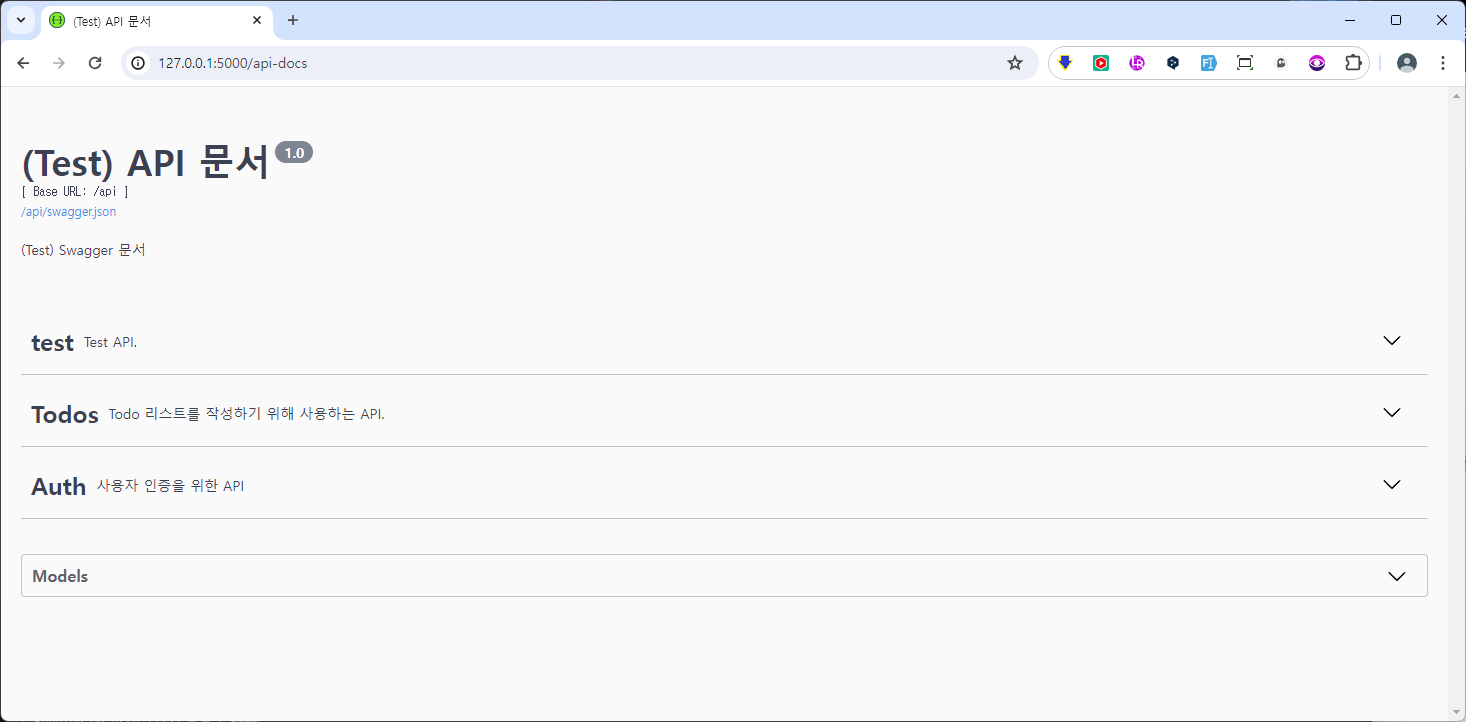

3. test API 실행 해보기
http://127.0.0.1:5000/api/test/
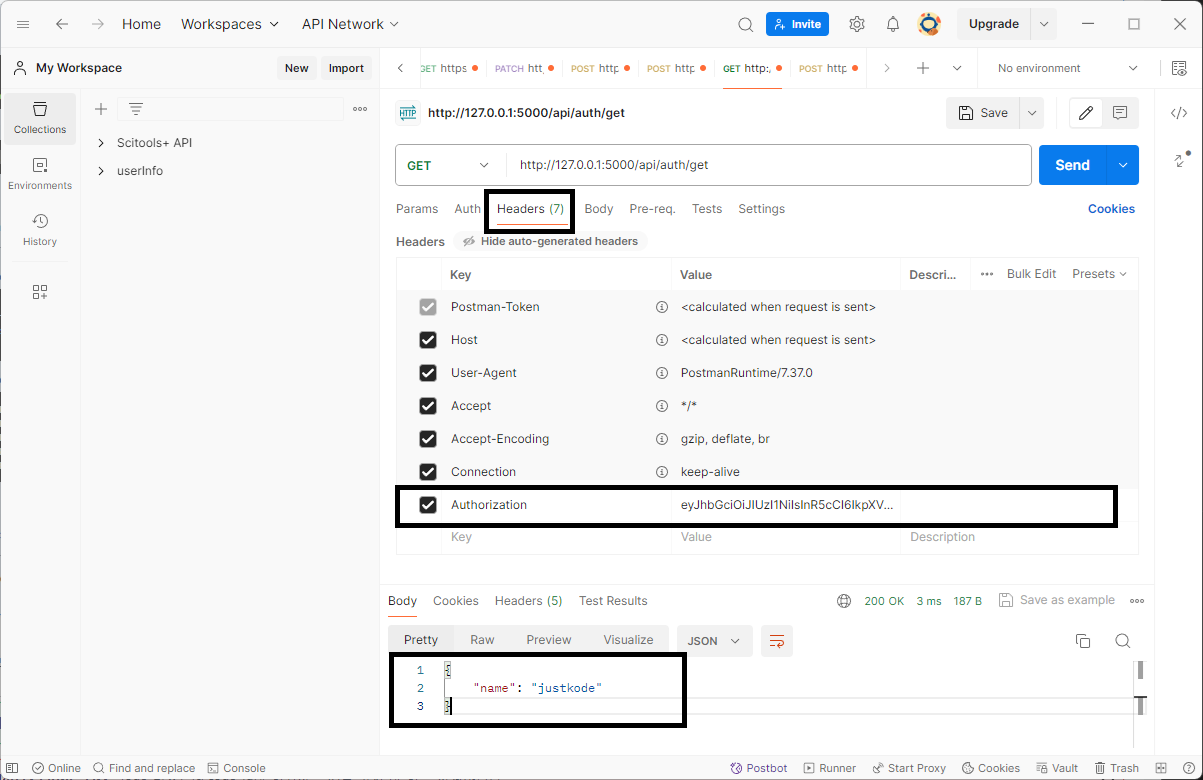
4. JWT로 로그인 테스트
헤더에 값을 넣어야 해서 포스트맨으로 테스트
문서 구조
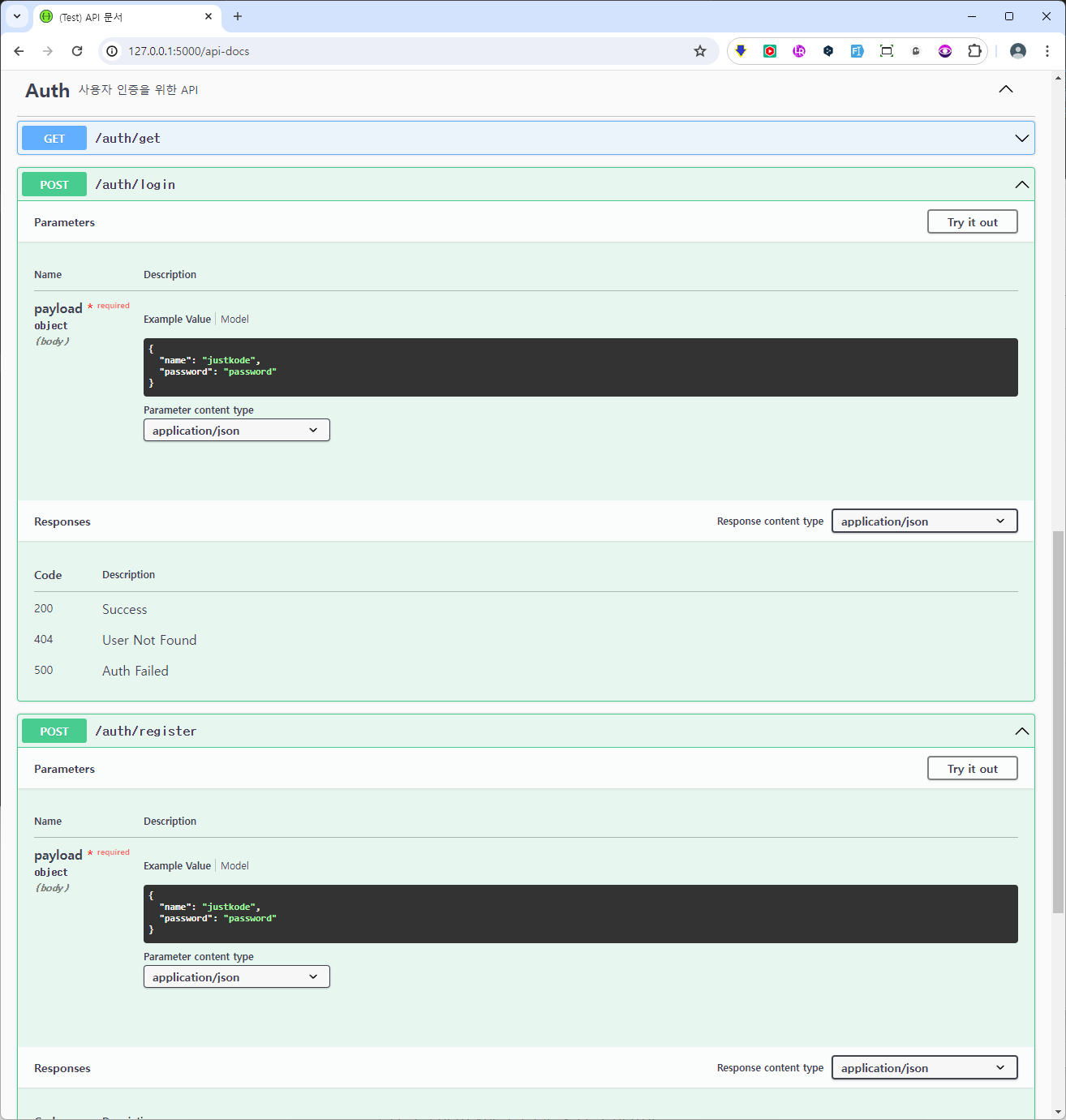
사용자 등록
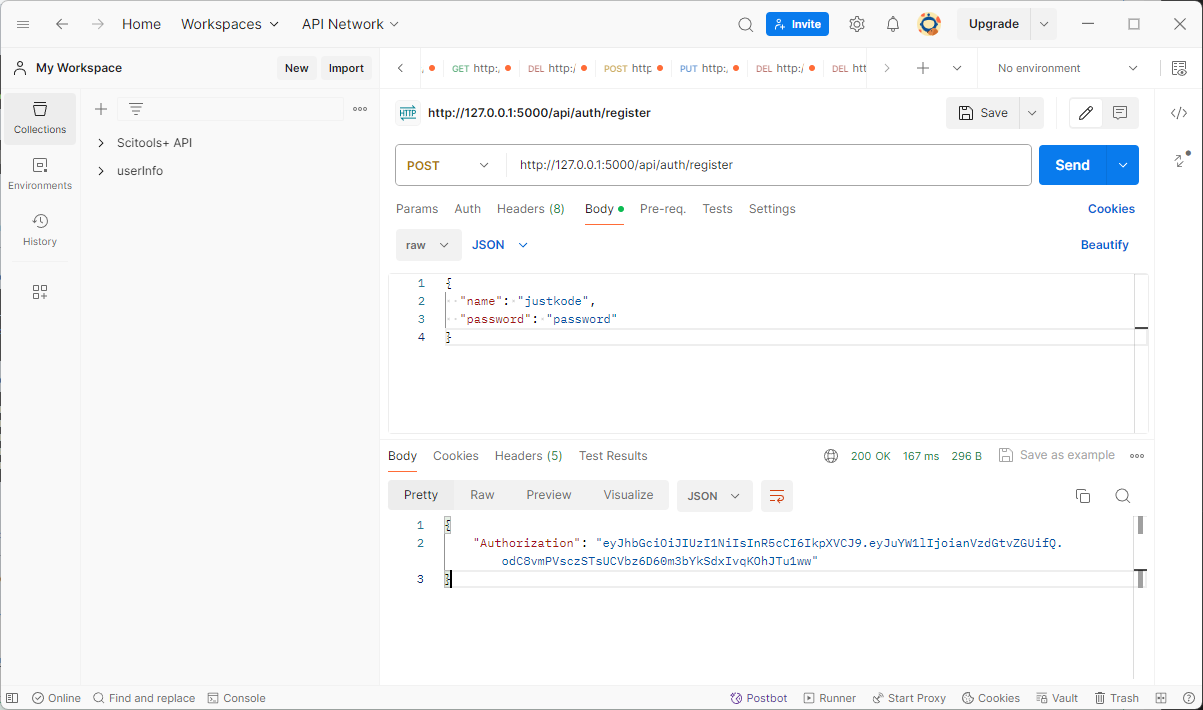
로그인
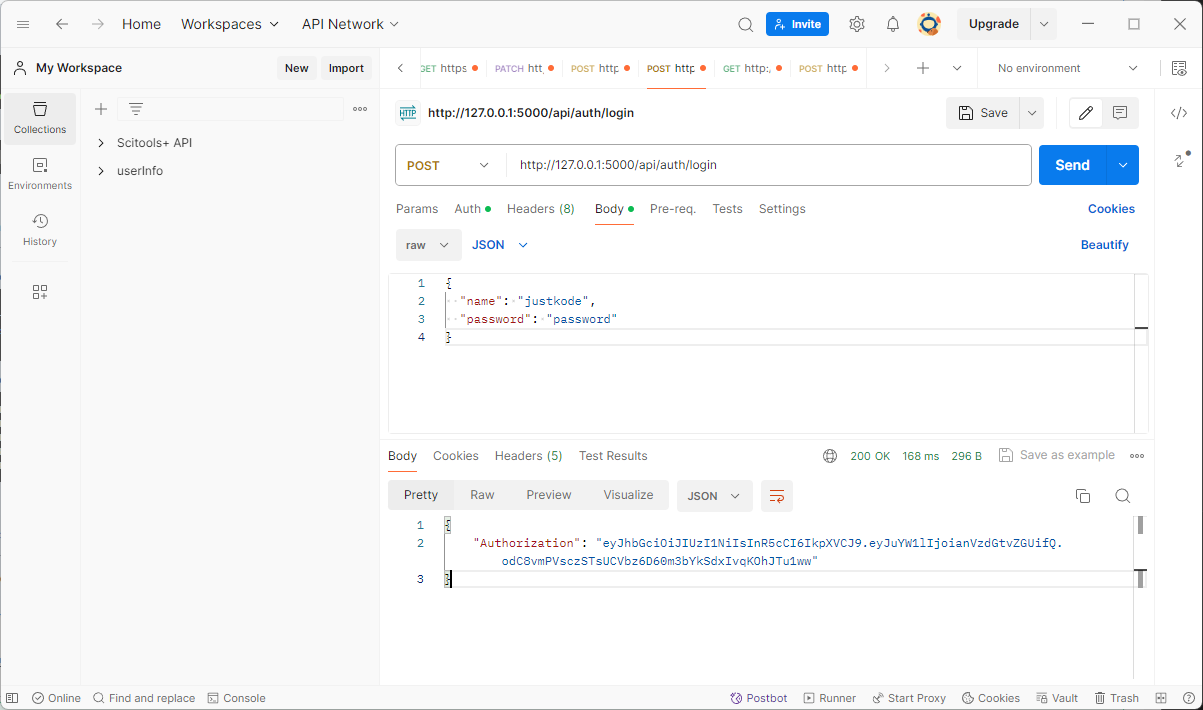
로그인 확인
반응형
'Python' 카테고리의 다른 글
| 세션(SESSION)을 완전히 삭제하고 로그아웃하는 함수 (0) | 2024.11.21 |
|---|---|
| [flask dash] code 400, message Bad request version 에러 대처법 (2) | 2024.06.24 |
| 아나콘다에 신규 가상환경 만들고 주피터 노트북 셋팅하기 (1) | 2024.05.01 |
| 주피터 노트북에 내가 만든 가상환경 나오게 하는 방법 (0) | 2024.05.01 |
| 폴더내 모든 파일명 일괄 변경하기 (4) | 2024.03.25 |


