반응형
깜빡이는 버튼 만드는 방법 입니다.
HTML CSS 만을 활용 했습니다.
인터넷에서 좋은 소스가 보여서 스크랩 차원에서 따로 만들었습니다. (원소스가 워드 프레스로 만들어 졌는가 봐요.)
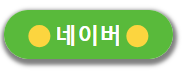
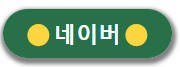
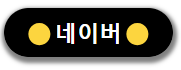
<style>

	.wp-block-buttons {
		margin-top: 20px;
		width: 100%;
	}

	/* 깜박이는 애니메이션 정의 */
	@keyframes blink {
		0%, 15%, 85%, 100% {
			background-color: #277048;	/*#C10909;*/
		}

		/* 원래 색 */
		50% {
			background-color: #6bd437;	/*#DF8C00;*/
		}

		/* 깜박일 때의 색 */
	}

	/* 버튼 기본 상태에 깜박이는 효과 적용 */
	.wp-block-button__link {
		animation: blink 1.5s infinite;
		/* 2초 간격으로 무한 반복 */
		transition: background-color 0.5s;
		/* 배경색 변경에 애니메이션 효과 적용 */
	}

	/* 버튼 호버 또는 포커스 상태 */
	.wp-block-button__link:hover, .wp-block-button__link:focus {
		animation: none;
		/* 호버 시 애니메이션 중지 */
		background-color: black !important;
		/* 호버 시 배경색을 검은색으로 설정 */
		color: white !important;
		/* 호버 시 글씨 색상을 하얀색으로 설정 */
	}

	.wp-element-button {
		cursor: pointer;
		padding: 10px 20px;
		color: #fff;
		text-decoration: none;
		border-radius: 9999px;
		display: block;
		text-decoration: none;
	}

	.wp-block-buttons .wp-block-button__link {
		color: white !important;
		text-align: center;
		width: 95% !important;
		font-size: 1.4em;
		box-shadow: 1px 3px 4px 3px gray;
	}

</style>

<div class="wp-block-buttons">
	<a class="wp-block-button__link wp-element-button" href="https://naver.com" target="_blank" style="text-decoration: none;">
		<strong style="user-select: auto !important;">🟡 네이버 🟡</strong>
	</a>
</div>
반응형
'CSS' 카테고리의 다른 글
| EXE 실행 파일 아이콘 변경 방법 And bat 파일을 exe로 변환 (0) | 2025.04.25 |
|---|---|
| CSS 버튼 쉽게 만드는 방법 (4) | 2024.10.15 |
| [CSS] 고정된 DIV 영역에 세로 스크롤바 생성하기 (0) | 2023.11.24 |
| [CSS] 🎨 버튼(Button) 디자인 스타일 모음 (3) | 2023.07.21 |


